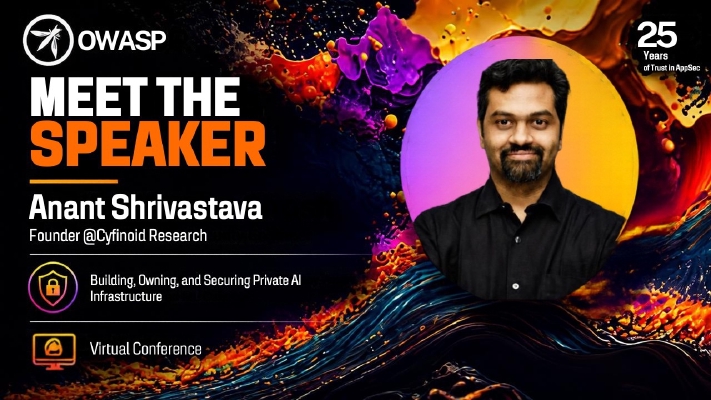
Anant Shrivastava — information security professional, founder of Cyfinoid Research, and a 15+ year veteran spanning application security, mobile security, cloud, DevSecOps, Linux and supply chain (the force behind Android Tamer and Code Vigilant, and a familiar voice at Black Hat, DEF CON, nullcon and c0c0n) — delivered “Building, Owning, and Securing Private AI Infrastructure” at the OWASP 25th Anniversary Virtual Conference on September 22, 2026. Coming at the topic as “an ops person, being a server admin in my past life, and now being a security professional,” he set out to show what private AI infrastructure actually looks like, which decisions you must make while building one, and where security constraints enter the picture. The talk moves from the economics and politics of SaaS AI, through a ground-level tour of hardware, models and the software stack, and closes by threat modeling a self-hosted LLM environment. His goal was explicitly not to convince everyone to buy a GPU, but to help each listener decide what should run locally, what can safely run in the cloud, and what you give up with each of those choices.
Defining Private AI: Control, Not Cost
- The definition: infrastructure where the control is in your hands — you own the hardware and the technology stack, and you define which model runs, when it runs, and who gets access. That control extends to the data: ownership, residency, who can reach it, where it is stored, and its lifespan and usage.
- It is not a money-saving move. “I have a stockpile of hardware at my end — it is not cheap.” With the VC ecosystem subsidising SaaS AI, hosted services will stay cheaper for the foreseeable future. The popular “$10 private vs $80–100 SaaS” comparisons quietly omit cost of ownership: hardware, electricity, maintenance, power outages, and hardware faults — all of which land on you.
-
“Private AI is never about cheapness. It’s about control. It’s about ownership. It’s about certainty.”
The certainty cuts both ways: you know exactly what works in your environment — and you also know, painfully, when nothing works. That is a certainty SaaS APIs can never give you.
Why Renting Cognition Hurts
- “Rented cognition”: with SaaS AI APIs, “effectively your brain is rented out.” It can be rate-limited whenever the provider wants (5-hour, one-week, one-month limits — “per the mood of the CEO”), policy-constrained, or silently changed.
- Data-use ambiguity: Anant cited a recent OpenAI post about a researcher group’s data, whose key line reads “while unlikely, we cannot rule out that the identified data derived from their usage of our product helped improve our models” — neither confirming nor denying training use.
- Anthropic’s whitepaper was, to him, an accidental admission: describing activists in the European region using their AI implies the capability to monitor, keyword-prioritise and search everything sent to the system, training opt-out or not. The same report alleged the Kimi model was effectively serving Claude output — “one vendor accusing another vendor… what is clear to me is vendors may not be upfront about where your data is going.”
- Training toggles: OpenRouter and OpenCode expose “train on your data” switches, some on by default — and access to newer models is conditioned on giving that access. Research built on dumped inference data found keys and access credentials that let attackers take over large numbers of hosts.
- Silent downgrades and degradation: users of top-tier models (e.g. Opus 5) regularly report being downgraded to Opus 4.8 with a “this is a cyber prompt” notice; older capable models degrade as newer ones ship; peak/off-peak pricing nudges you toward working when the provider wants you to. You are charged per token, not per actual work — and a model stuck in a loop can exhaust your entire quota or wallet “in a quick shot.”
- Shared systems fit no one: providers tune rules for the “broader middle area in the bell curve” of millions of users. “Everyone gets something, but not everything.” In short: reliability, performance and cost variance are all outside your control.
Deployment Models and Cost Profiles
- Three flavours of private AI: hardware at home, hardware in a data centre, or cloud (rented GPU). All three carry a shared-responsibility split between you and the provider, echoing the classic cloud model.
- Cost shape differs: personal hardware is mostly upfront cost; corporate-owned hardware/data centre adds a monthly bill; cloud renting is monthly-only with no upfront or repair cost — hardware failure just means getting a new device.
- Cloud GPU landscape: every former cloud provider (AWS, Azure, Google Cloud, DigitalOcean) is now a GPU provider, plus dedicated players like Vast.ai and RunPod. After surveying this, Anant deliberately leaves cloud behind and focuses the rest of the talk on owning hardware.
Hardware: Dedicated GPU vs Unified Memory
- The caveat: this talk is specifically about large language models, which need exactly two things — processing power and fast memory.
- Dedicated GPU path: higher memory bandwidth, best for training and for dense models (which must be fully loaded in VRAM). The largest single consumer/pro card cited: 96 GB VRAM on the RTX Pro 6000. Multiple cards can work as a roughly cohesive unit for larger models. Example cards: RTX 6000 Pro, AMD Radeon, Intel Arc B70 Pro.
- Unified memory path: actually slower, but the charm is twofold — system RAM is your VRAM, and it physically sits inside the same chip as the processor, so there is no circuit-trace hop to reach memory. Examples: AMD Helios, NVIDIA DGX Spark, Mac Studio, and similar system-on-chip boxes; devices can even be combined with dedicated (expensive) cables.
- Rule of thumb: dense models suit dedicated GPUs; Mixture-of-Experts (MoE) models suit unified memory.
- Power and thermals matter: the RTX 5090 draws 575 W for its 32 GB of VRAM, while the RTX Pro 5000 manages 48 GB at roughly 300 W — “GPUs are a big converter of electricity into heat.” Default fan curves favour low noise and start late; Anant pointed to tested NVIDIA and Intel fan-control utilities so you can start cooling earlier and extend the GPU’s lifespan.
Models, Quantization and the VRAM Budget
- What a model is: weights plus configuration data, metadata, tokenizer and prompt template. Prefer safetensors or GGUF formats. Hugging Face remains the main source; ModelScope is rising with Chinese model providers.
- Quantization is representing the weights in fewer bits: FP32/FP16/BF16 down to 8-bit (Q8/FP8/INT8) or 4-bit (Q4_K_M/NVFP4/INT4). Local stacks almost always run Q8 or Q4 because uncompressed models are huge. Accuracy falls with each step — FP16→Q8 loses some, Q8→Q4 loses “a lot more.”
- KV cache: the key-value caching layer that lets an LLM avoid recomputing; it grows with conversation length and context size. It can be quantized, but the guidance is to keep it as unquantized as possible — even on a Q4 model, keep the KV cache at Q8 or F16 for noticeably better accuracy.
- What belongs in VRAM for maximum speed and accuracy: the model, runtime buffers, and the entire KV cache (offloading to disk or partial loads are possible, but slower). If you must compress: compress the model first, then the KV cache.
The Software Stack
- The path: client layer (coding agents and IDEs — Claude Code, Codex and friends) → network (local, public, or overlay) → optional control bridge adding authentication policies → inference gateway → inference runtime.
- Inference gateways are the translation layer between clients and runtimes: Ollama, LM Studio, and llama-swap — Anant, “someone who does not like doing things by the book,” runs his own heavily customised fork of llama-swap.
- Inference runtimes: llama.cpp is the dominant choice; vLLM is the pick when many parallel requests are in play; Apple hardware gets the dedicated MLX runtime.
- Remote access — never expose ports: research has surfaced thousands of publicly accessible Ollama servers, where anyone can abuse them, compromise the served model, or make the instance pull a vulnerable model. Instead use Tailscale or Headscale, WireGuard or OpenVPN — or, if nothing else exists, SSH port forwarding, which he calls the “poor man’s VPN” available on every Linux and Mac machine.
Choosing and Vetting Models
- Match model shape to hardware: dense for dedicated GPUs; MoE for unified memory. MoE also unlocks models bigger than your VRAM — a 120-billion-parameter model’s Q4 build won’t fit a 32 GB card, but its experts can sit partly in system RAM and be swapped in as needed (workable, not fast).
- Download from official sources and run model scanners — Palo Alto offers one, and a Cyfinoid model scanner was “coming up in the next couple of days” at talk time.
- Avoid: pickle-based checkpoints (Python pickle is riddled with known vulnerabilities),
trust_remote_code (which lets a model invoke remote inference code), and “uncensored”/“obliterated” models — those work by breaking parts of the vector space, so “there is a very high chance they will hallucinate” and their intelligence is quashed. Don’t use them unless you genuinely need an uncensored model.
OS and Maintenance: Make It Boring
- Linux is the base for most LLM inference; on Apple hardware macOS is the only option; avoid Windows — “too much trouble, very little reward,” and you’ll be struggling alone.
- The maintenance mantra: > “Make it boring. Make it stable.”
- Concretely: unattended OS upgrades, firewall isolation, own your open-source stack, treat every component as dead-on-arrival and maintain it yourself, and choose stability over the latest features. “If there’s an exciting thing happening in your stack, there is something wrong.”
Threat Modeling Your Own Stack
- The framing line: > “You build all of this. You own it. If you don’t secure it, someone else will own it.”
- Threat set across every layer: prompt injection, telemetry leakage, auth bypass, resource exhaustion, supply chain attacks, and cross-process information exposure.
- Layered access control: no public exposure at all; keep access behind VPN/Tailscale-style overlays; protect the admin interface with a separate username and password; add API-key-based access as the final control, so even an exposed inference gateway can’t be used against your LLM.
- Zero-days are inevitable, so the posture is: build a good inventory, scan and test your environment, and “let your LLM find bugs for you” — spend your own tokens finding and fixing issues before someone else does. He referenced his posts on a new security cost model for the apps world and a pragmatic “Mythos-ready” guide as directly applicable here.
- The rogue-LLM nuance: the inference machine usually isn’t the one making outside connections — the agent or harness sitting on another box executes the tool calls and fetches content. Air-gapping the LLM box alone is therefore insufficient; firewall the agent, validate every tool call, and “log everything. Don’t be one of these vendors who basically don’t have any idea of what exactly their models were doing.”
- Overlooked classics: GPU bugs (GPUs run source code too — a buggy driver can leak data, crash, or damage hardware, so treat driver security updates as must-patch), API key leakage, PII landing in logs (an accidentally pasted SSH key gets stored and gives access away), and resource exhaustion — “these are all old problems and the solutions are also old.”
So… Should You Self-Host?
Anant closed with a decision flow rather than a blanket recommendation:
- Data privacy / IP sensitivity is a requirement → host private AI.
- Regulatory mandate, strict auditability, data-residency control → private AI.
- Scale and economics demand uptime you control (spiky, round-the-clock traffic) → private AI.
- A slight delay is acceptable → public SaaS API may be the right answer.
- You simply want control of the entire process — his own motivation — → build your own, “irrespective of whether I have any of these other requirements.”
Q&A
The session ended with no audience questions; the host joked that this meant “either you explained everything brilliantly or everyone is quietly reviewing their security architecture.” Anant wrapped up by sharing his contact details — cyfinoid.com and anant@cyfinoid.com — thanking the audience for listening.